Webareal
Connect the store
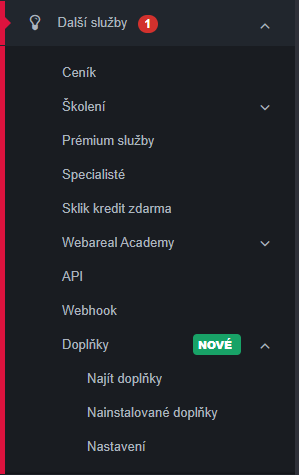
- In Webareal administration, open Další Služby → Doplňky → Najít doplňky.
- Find Zenvio and add the add-on to the shop.
- Open Configure to complete pairing.
- Log in to Zenvio, select or create the intended organization and authorize the store.
Configure invoices
Choose invoice creation for all orders, paid orders or completed orders. Choose automatic or manual sending separately.
Check a representative order’s resulting invoice, recipient and delivery result. Store synchronization into Zenvio and subsequent accounting processing are separate steps.