Add invoice links to your store and emails
Link to an invoice after Zenvio creates it. To check when that happens for your store, see Create and deliver invoices.
Legacy customer account order list
For stores still using theme-based legacy customer accounts, edit the order list in the customer account template. Customizations to legacy account templates do not carry over to current customer accounts.
- In Shopify admin, open Online Store → Themes. Work on a copy of your theme while testing.
- Choose Edit code and locate the customer account template. In themes with a Liquid account template, look for
customers/account.liquid. - If the template uses a table for recent orders, add a heading to its header row and a matching cell inside the loop that renders each order.
<th scope="col">Invoice</th>
<td>
  <a href="{{ shop.url }}/apps/Zenvio/orders/{{ order.id }}/invoice/download.pdf">
    Download invoice
  </a>
</td>
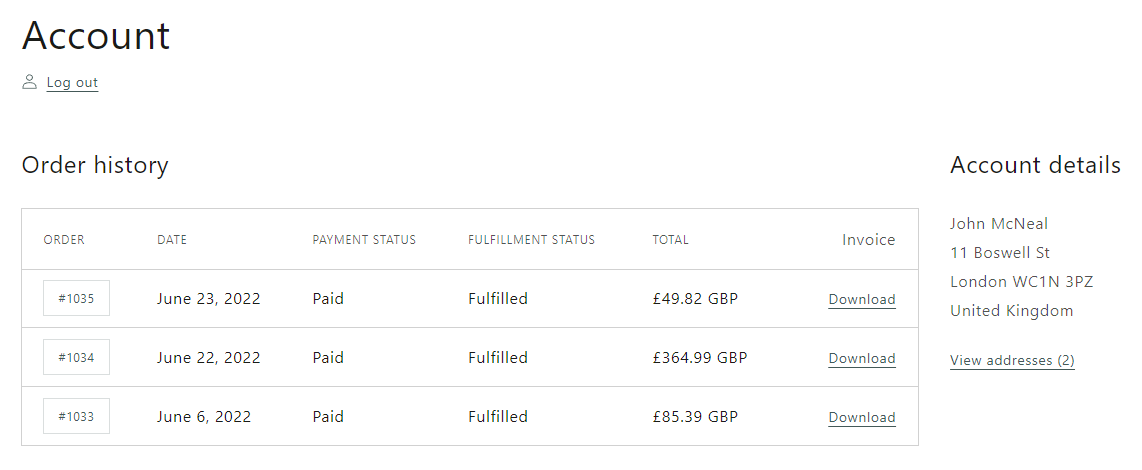
Use open.pdf instead of download.pdf to open the PDF in the browser. Preview with a customer account and a test order whose invoice already exists.
Order confirmation email
- In Shopify admin, open Settings → Notifications → Customer notifications → Order confirmation.
- Edit the notification template and add the link where you want customers to find it. This template uses
{{ id }}for the order ID.
<a href="{{ shop.url }}/apps/Zenvio/orders/{{ id }}/invoice/download.pdf">
  Download invoice
</a>
- Preview the email, then test with a real order from your test workflow. Check that the link opens the correct invoice.
If invoices are created on fulfillment, the invoice may not exist when the confirmation is sent. Use Zenvio's invoice email or another delivery point after creation in that case.
Current accounts, Thank you and Order status pages
Legacy theme templates do not customize current customer account pages. Shopify also retired Additional scripts and checkout.liquid on Thank you and Order status pages. The snippets above do not install an account or checkout extension. Use Zenvio email delivery if you need a supported delivery option without a theme customization.